Home > LCD Screen > macbook pro retina > Macbook Pro Retina 16" A3403 A3186 M3 M4 Full LCD Screen Assembly 2023 2024

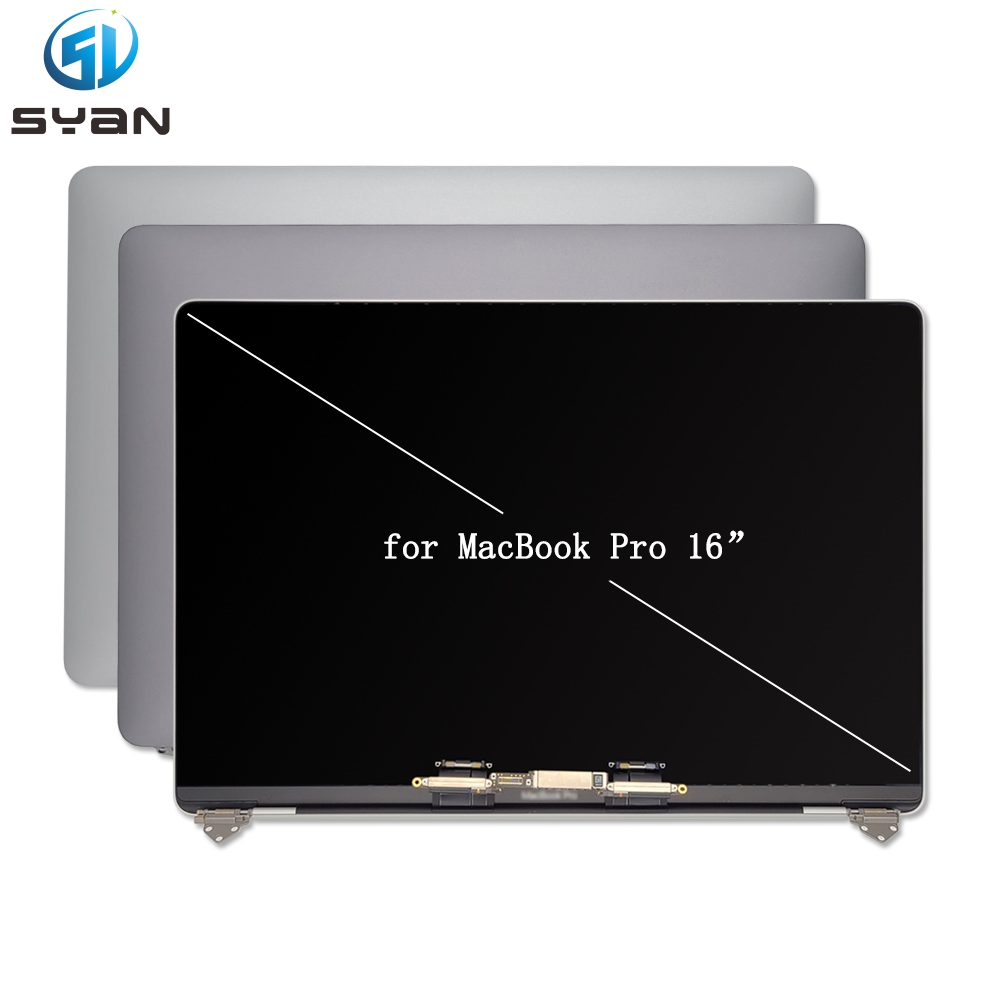
Macbook Pro Retina 16" A3403 A3186 M3 M4 Full LCD Screen Assembly 2023 2024

SKU:
0.0 (0)
0 Sold
$396.00 $0.00

How to Replace MacBook Pro 16 Inch Retina Display A3403 A3186 – Complete Step-by-Step Repair Guide

Introduction

This professional DIY repair guide shows you how to replace the screen assembly on MacBook Pro 16-inch Retina models A3403 and A3186. These models belong to Apple Silicon M1 / M2 Pro / Max generation with fully integrated top lid display assembly. This tutorial is optimized for Google search indexing, clear structure, standard technical terms, suitable for e-commerce listing, blog post and repair website publishing.
Received successfully
Coupon Code
CONTINUE SHOPPING
    Please select the information you want X
  • Color:
    Black
    Silver
Quantity:
  • Macbook Pro Retina 16" A3403 A3186 M3 M4 Full LCD Screen Assembly 2023 2024
  • Macbook Pro Retina 16" A3403 A3186 M3 M4 Full LCD Screen Assembly 2023 2024
  • Macbook Pro Retina 16" A3403 A3186 M3 M4 Full LCD Screen Assembly 2023 2024
  • Macbook Pro Retina 16" A3403 A3186 M3 M4 Full LCD Screen Assembly 2023 2024
  • Macbook Pro Retina 16" A3403 A3186 M3 M4 Full LCD Screen Assembly 2023 2024
  • Macbook Pro Retina 16" A3403 A3186 M3 M4 Full LCD Screen Assembly 2023 2024
  • Macbook Pro Retina 16" A3403 A3186 M3 M4 Full LCD Screen Assembly 2023 2024
  • Macbook Pro Retina 16" A3403 A3186 M3 M4 Full LCD Screen Assembly 2023 2024
  • Macbook Pro Retina 16" A3403 A3186 M3 M4 Full LCD Screen Assembly 2023 2024
  • Macbook Pro Retina 16" A3403 A3186 M3 M4 Full LCD Screen Assembly 2023 2024
  • Macbook Pro Retina 16" A3403 A3186 M3 M4 Full LCD Screen Assembly 2023 2024
  • Macbook Pro Retina 16" A3403 A3186 M3 M4 Full LCD Screen Assembly 2023 2024
  • Macbook Pro Retina 16" A3403 A3186 M3 M4 Full LCD Screen Assembly 2023 2024
  • Macbook Pro Retina 16" A3403 A3186 M3 M4 Full LCD Screen Assembly 2023 2024
1/1
  • Macbook Pro Retina 16" A3403 A3186 M3 M4 Full LCD Screen Assembly 2023 2024
  • Macbook Pro Retina 16" A3403 A3186 M3 M4 Full LCD Screen Assembly 2023 2024
  • Macbook Pro Retina 16" A3403 A3186 M3 M4 Full LCD Screen Assembly 2023 2024
  • Macbook Pro Retina 16" A3403 A3186 M3 M4 Full LCD Screen Assembly 2023 2024
  • Macbook Pro Retina 16" A3403 A3186 M3 M4 Full LCD Screen Assembly 2023 2024
  • Macbook Pro Retina 16" A3403 A3186 M3 M4 Full LCD Screen Assembly 2023 2024
  • Macbook Pro Retina 16" A3403 A3186 M3 M4 Full LCD Screen Assembly 2023 2024
  • Description


How to Replace MacBook Pro 16 Inch Retina Display A3403 A3186 – Complete Step-by-Step Repair Guide

Introduction

This professional DIY repair guide shows you how to replace the screen assembly on MacBook Pro 16-inch Retina models A3403 and A3186. These models belong to Apple Silicon M1 / M2 Pro / Max generation with fully integrated top lid display assembly. This tutorial is optimized for Google search indexing, clear structure, standard technical terms, suitable for e-commerce listing, blog post and repair website publishing.

Compatible Models

  • MacBook Pro 16‑inch A3403
  • MacBook Pro 16‑inch A3186
  • Full Retina LCD Touch Bar version, complete top display assembly replacement only

Required Repair Tools

  • Anti-static wrist strap and anti-static mat
  • Torx T3 / T5 / 8IP screwdriver set
  • Plastic opening pry tools
  • Suction cup
  • Lint-free cleaning cloth
  • Isopropyl alcohol
  • Magnetic screw mat (for screw classification)

Pre-Repair Safety Notice

  1. Fully shut down your MacBook Pro and disconnect all chargers and peripherals.
  2. Hold the power button for 10 seconds to release residual power.
  3. Always work on an anti-static mat to avoid static damage to the logic board and flex cables.
  4. Place a soft cloth under the device to prevent aluminum body scratches.
  5. Back up all important data before disassembly to avoid accidental data loss.

Step 1: Remove Bottom Case Cover

  1. Place the MacBook Pro upside down on a soft surface.
  2. Unscrew all bottom case screws with Torx 8IP driver.
  3. Use plastic pry tool to gently unclip the bottom cover along the edge.
  4. Lift off the bottom case and put it aside.

Step 2: Disconnect Battery Connector

  1. Locate the battery flex connector on the main board.
  2. Use plastic pry tool to lift the battery connector vertically upward.
  3. Never bend or twist the connector pins to avoid permanent damage.
    Disconnecting the battery is mandatory before any screen cable operation.

Step 3: Remove Shield Plates & Disconnect Display Cables

  1. Remove T3 screws fixing the display cable metal shield cover.
  2. Take off the shield plate carefully.
  3. Disconnect three main flex cables one by one:
    • EDP main display cable
    • Backlight power cable
    • FaceTime camera and lid sensor flex cable
  4. Release cable routing clips and fixers on the frame.

Step 4: Dismount Old Display Assembly

  1. Open the screen to 90 degrees and place the laptop on the table edge.
  2. Support the display screen by hand to prevent falling.
  3. Unscrew left and right hinge fixing screws with 8IP screwdriver.
  4. Slowly separate the old full display assembly from the lower base.
  5. Pull out the internal flex cables smoothly without sharp bending.

Step 5: Install New Retina Screen Assembly

  1. Prepare the new 16-inch Retina display assembly compatible with A3403 / A3186.
  2. Route all flex cables through the hinge position neatly.
  3. Align left and right hinges with the body screw holes.
  4. Reinstall hinge screws evenly, do not over-tighten.
  5. Reconnect EDP cable, backlight cable and camera cable back to original ports.
  6. Reinstall metal shield plates and fasten all T3 screws.

Step 6: Reconnect Battery & Test Screen

  1. Re-insert the battery connector firmly until it clicks into place.
  2. Connect power adapter and turn on the MacBook.
  3. Check screen brightness, Retina resolution, color display, camera and automatic brightness sensor function.
  4. Verify True Tone and normal sleep/wake lid function.

Step 7: Reassemble Bottom Case

  1. Align the bottom case buckle position.
  2. Press the cover evenly to clip into place.
  3. Reinstall all bottom screws according to original length and position.

Post Repair Troubleshooting

  • No image display: Recheck EDP cable insertion and battery connection
  • Dim screen: Re-seat backlight flex cable
  • Camera not detected: Reconnect FaceTime camera flex
  • True Tone missing: Run Apple Repair Assistant after screen replacement

SEO Keywords (Google Index Friendly)

MacBook Pro 16 inch A3403 screen replacement, MacBook Pro 16 inch A3186 display repair, how to replace MacBook Pro Retina screen A3403 A3186, MacBook Pro 16 inch full display assembly repair guide, fix broken MacBook Pro A3403 retina screen.

CUSTOMER REVIEWS

0.0 0 Reviews
Write a review
Frequently Bought Together
more
Frequently Bought Together
$0.00 $0.00
Please choose options.Back to top
Close
$0.00 $0.00