Home > Accessories 1 > Apple Pencil > Apple Pencil Pro

Apple Pencil Pro

SKU:
0.0 (0)
0 Sold
$12.50 $0.00

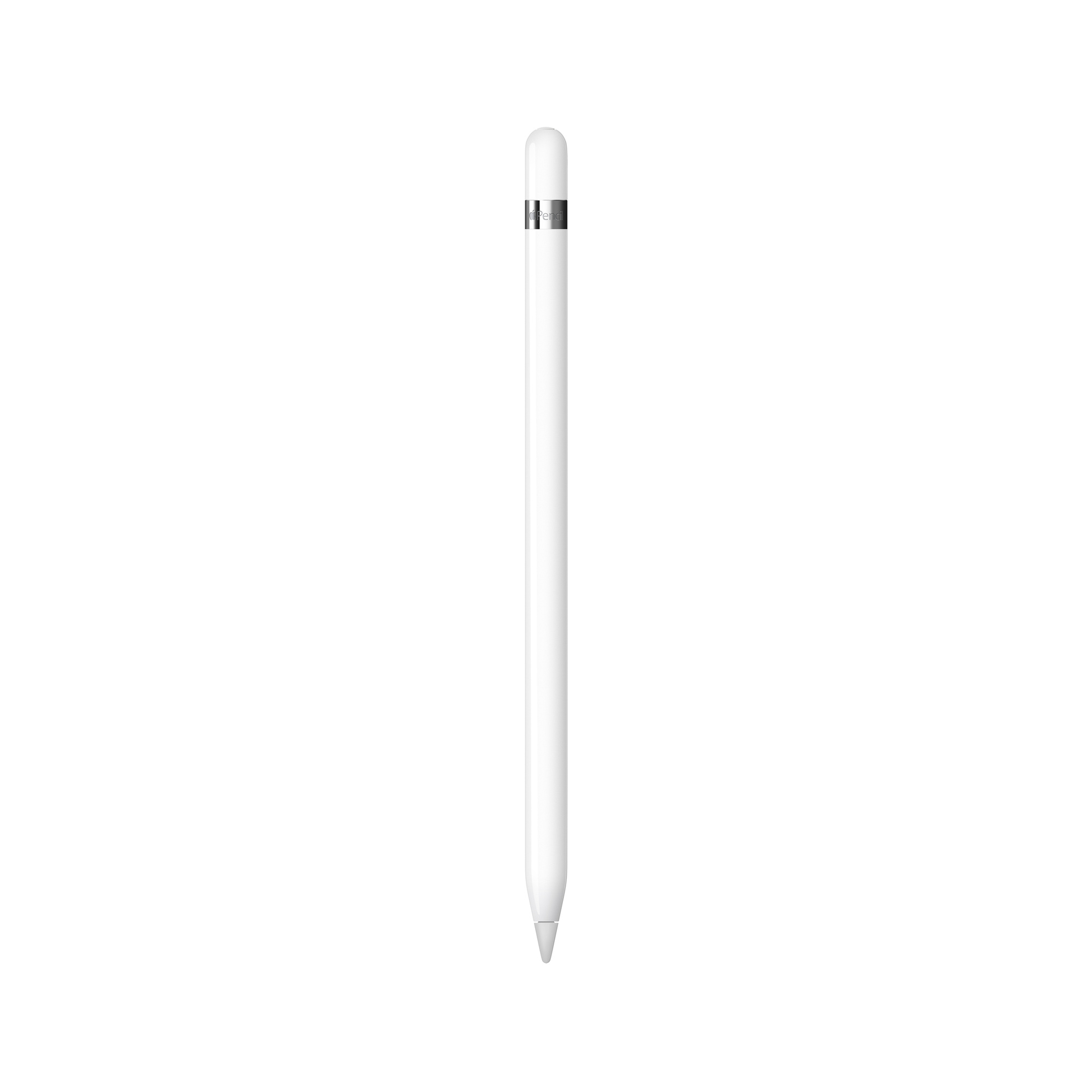
Apple Pencil Pro adds even more magical capabilities to help bring your ideas to life. New advanced features make marking up, taking notes, and creating a masterpiece more intuitive than ever.

Squeeze. Apple Pencil Pro can sense when you squeeze it and brings up a new palette so you can quickly switch tools, line weights, and colors.

Barrel roll. A new gyroscope allows you to rotate Apple Pencil Pro for precise control of shaped pen and brush tools.

Haptic feedback. A custom haptic engine provides precise feedback you can feel. When you squeeze or double tap, you’ll feel a light pulse confirming the action.

Apple Pencil hover.¹ Preview exactly where your Apple Pencil will touch down on your display and see a virtual shadow of your tool. So you can write, sketch, and illustrate with even greater precision.

Double tap. Quickly switch between tools, like a pen and eraser, with a double tap on Apple Pencil.

And if you misplace Apple Pencil Pro while you’re out and about or at home, you can easily locate it in the Find My app. Apple Pencil Pro attaches, pairs, and charges magnetically on the side of your iPad.

Received successfully
Coupon Code
CONTINUE SHOPPING
Quantity:
  • Apple Pencil Pro
  • Apple Pencil Pro
  • Apple Pencil Pro
  • Apple Pencil Pro
  • Apple Pencil Pro
  • Apple Pencil Pro
1/1
  • Apple Pencil Pro
  • Apple Pencil Pro
  • Apple Pencil Pro
  • Description

Overview

Apple Pencil Pro adds even more magical capabilities to help bring your ideas to life. New advanced features make marking up, taking notes, and creating a masterpiece more intuitive than ever.

Squeeze. Apple Pencil Pro can sense when you squeeze it and brings up a new palette so you can quickly switch tools, line weights, and colors.

Barrel roll. A new gyroscope allows you to rotate Apple Pencil Pro for precise control of shaped pen and brush tools.

Haptic feedback. A custom haptic engine provides precise feedback you can feel. When you squeeze or double tap, you’ll feel a light pulse confirming the action.

Apple Pencil hover.¹ Preview exactly where your Apple Pencil will touch down on your display and see a virtual shadow of your tool. So you can write, sketch, and illustrate with even greater precision.

Double tap. Quickly switch between tools, like a pen and eraser, with a double tap on Apple Pencil.

And if you misplace Apple Pencil Pro while you’re out and about or at home, you can easily locate it in the Find My app. Apple Pencil Pro attaches, pairs, and charges magnetically on the side of your iPad.

What’s in the Box

Apple Pencil Pro

Tech Specs

166 mm (6.53 inches)

Diameter: 8.9 mm (0.35 inches)

0.68 ounces (19.15 grams)

Connections

Bluetooth

Other Features

Magnetically attaches, pairs and charges

System Requirements

iPadOS 17.5 or later


Compatibility

iPad Models

  • iPad Pro 13-inch (M4)
  • iPad Pro 11-inch (M4)
  • iPad Air 13-inch (M3)
  • iPad Air 11-inch (M3)
  • iPad Air 13-inch (M2)
  • iPad Air 11-inch (M2)
  • iPad mini (A17 Pro)


Elevate your digital creativity with the Apple Pencil Pro, a versatile iPad stylus pen designed for precise drawing, note-taking, and seamless integration with your iPad Pro for professional and personal use. 

Engineered for superior responsiveness, this Apple stylus features magnetic charging, gyro-assisted tool rotation, and hover mode, enhancing accuracy and workflow fluidity with smart Bluetooth connectivity. 

Discover unmatched convenience and confidence with the Apple Pencil Pro for sale, offering intuitive controls, Find My support, and lightweight comfort to boost productivity across creative and academic tasks.


Precision Tool for Creative Users

The Apple Pencil Pro perfectly complements creative individuals who rely on an iPad stylus pen for note-taking, drawing, and marking up content with fluid responsiveness. Designed for users looking to elevate digital sketches and annotations, this Apple stylus fits seamlessly with compatible iPad devices, supporting natural hand movements and pressure sensitivity. Whether you’re a student highlighting lectures or an artist refining concept sketches, the Pencil Pro enhances your workflow by offering advanced control features tailored to bring your ideas to life intuitively.

Advanced Features and Measurable Specifications

Engineered with cutting-edge technology, the Apple Pencil Pro incorporates a gyroscope for precise tool rotation and a hover mode that previews your touch location, enhancing drawing accuracy. With a lightweight design weighing just 19 grams, this iPad Pro stylus ensures comfort during extended use. It connects wirelessly via Bluetooth and magnetically attaches to your iPad’s side to enable effortless pairing and charging. Additional features include squeeze gestures for quick-access palettes and haptic feedback for responsive confirmation, all requiring iPadOS 17.5 or later for optimal performance and app compatibility.

Versatile Applications and Everyday Value

Designed for multiple creative and professional contexts, the Apple Pencil Pro excels in digital artistry, document annotation, and brainstorming. Use it to rotate brush strokes precisely in apps like Procreate or swiftly switch tools with double taps during presentations or design sessions. Its capability to mark up PDFs or textbooks makes it an invaluable tool for students and professionals alike. With Find My integration, the Pencil Pro ensures less downtime looking for misplaced tools, making it a reliable addition to any Apple device ecosystem and enhancing productivity across various daily tasks.


Use Scenarios

Precise Digital Illustration in Creative Industries

In environments such as graphic design studios and digital art classrooms, the Apple Pencil Pro serves as a critical tool for precision drawing and detailed illustration. It integrates with popular apps including Procreate, enabling artists to harness its gyroscope for rotational fine-tuning and squeeze gestures for rapid tool changes during complex workflows. Its high-accuracy iPad Pro stylus capabilities improve sketching fidelity and color selection efficiency, essential in fast-paced creative environments that demand both flexibility and exactness through seamless interaction with the iPadOS ecosystem.

Efficient Document Annotation in Academic and Business Settings

Within academic and corporate contexts, the Apple Pencil Pro facilitates precise annotation on PDFs, lecture slides, and business documents, supporting efficiency during review and note-taking sessions. The magnetic attachment to iPad and Find My feature reduce disruption from misplaced tools. Its hover mode and haptic feedback help users maintain accuracy and confidence when marking up texts, streamlining digital workflows for students and professionals who rely on Apple stylus technology for clarity and productivity during critical discussions or studies.

CUSTOMER REVIEWS

0.0 0 Reviews
Write a review
Frequently Bought Together
more
Frequently Bought Together
$0.00 $0.00
Please choose options.Back to top
Close
$0.00 $0.00