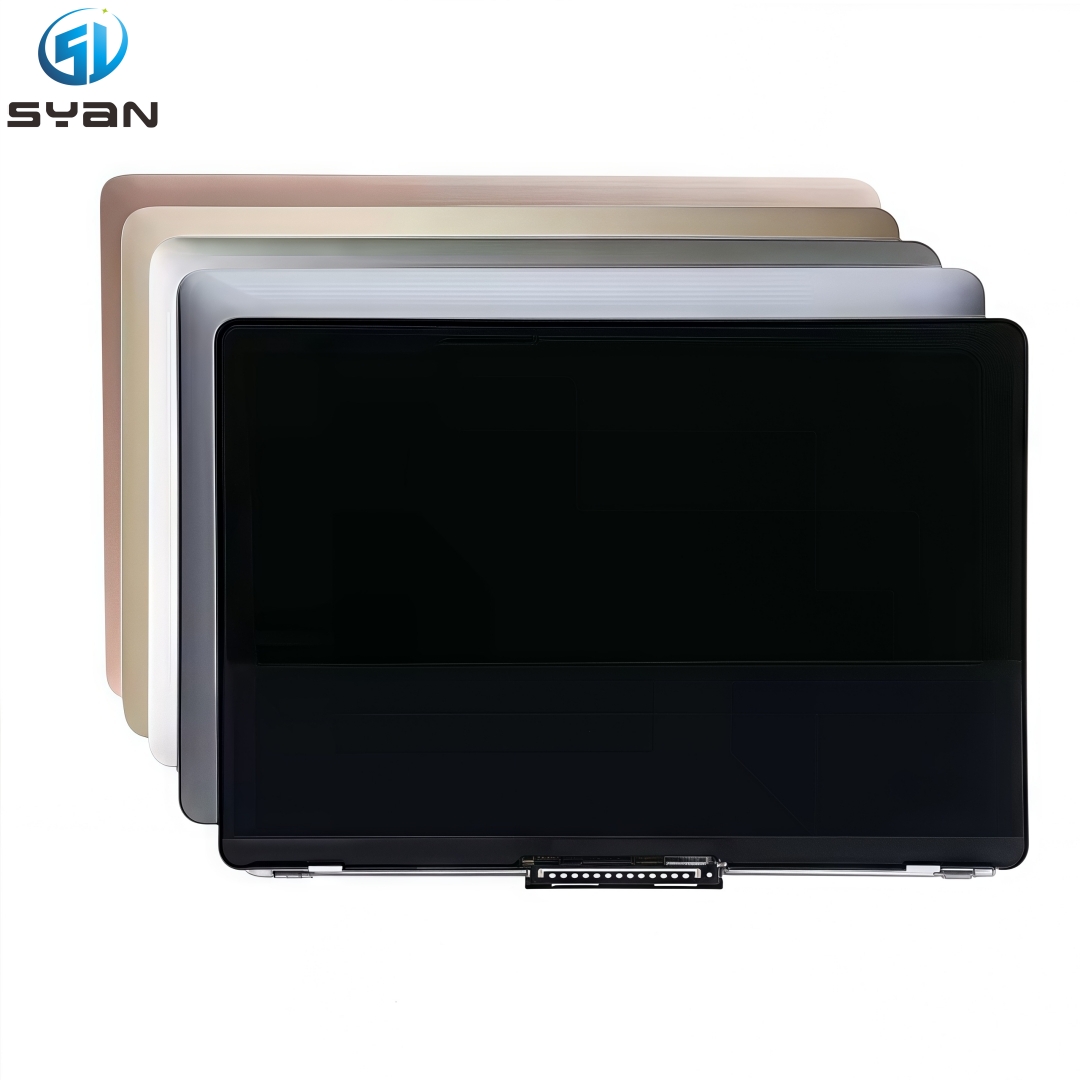
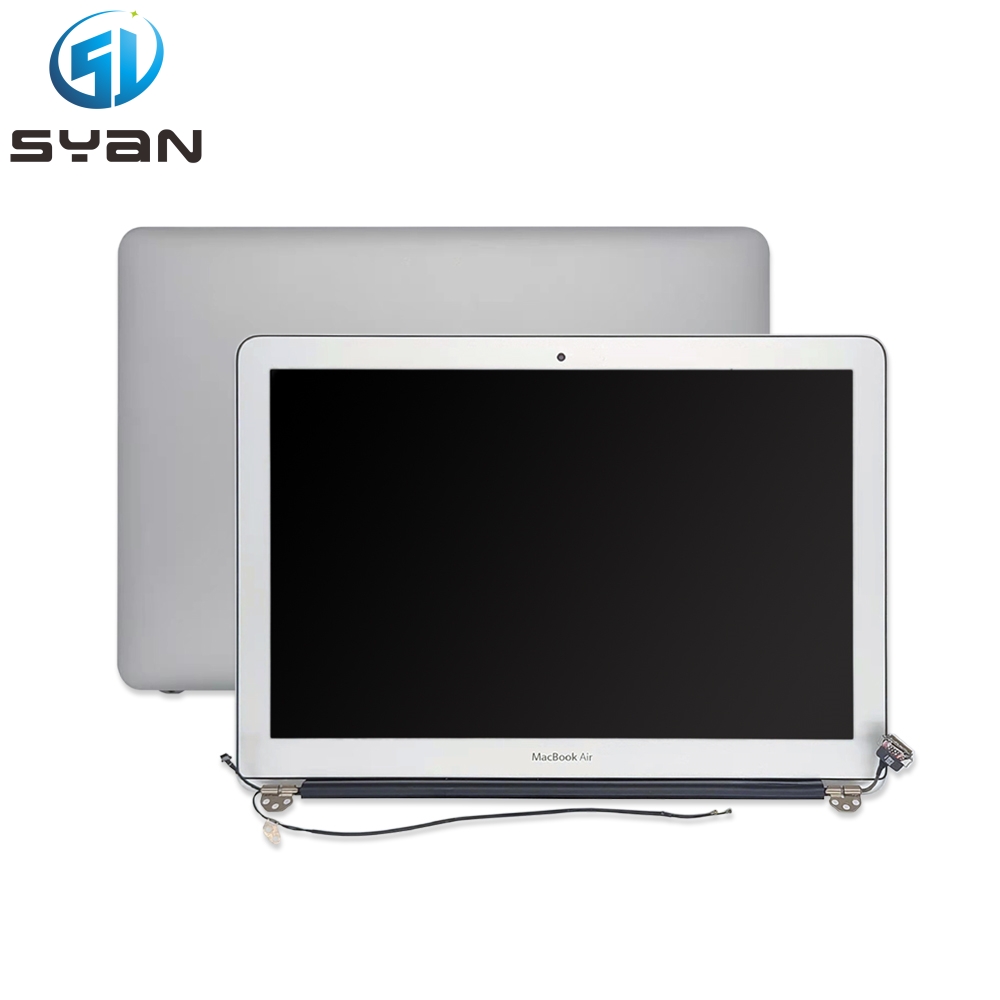
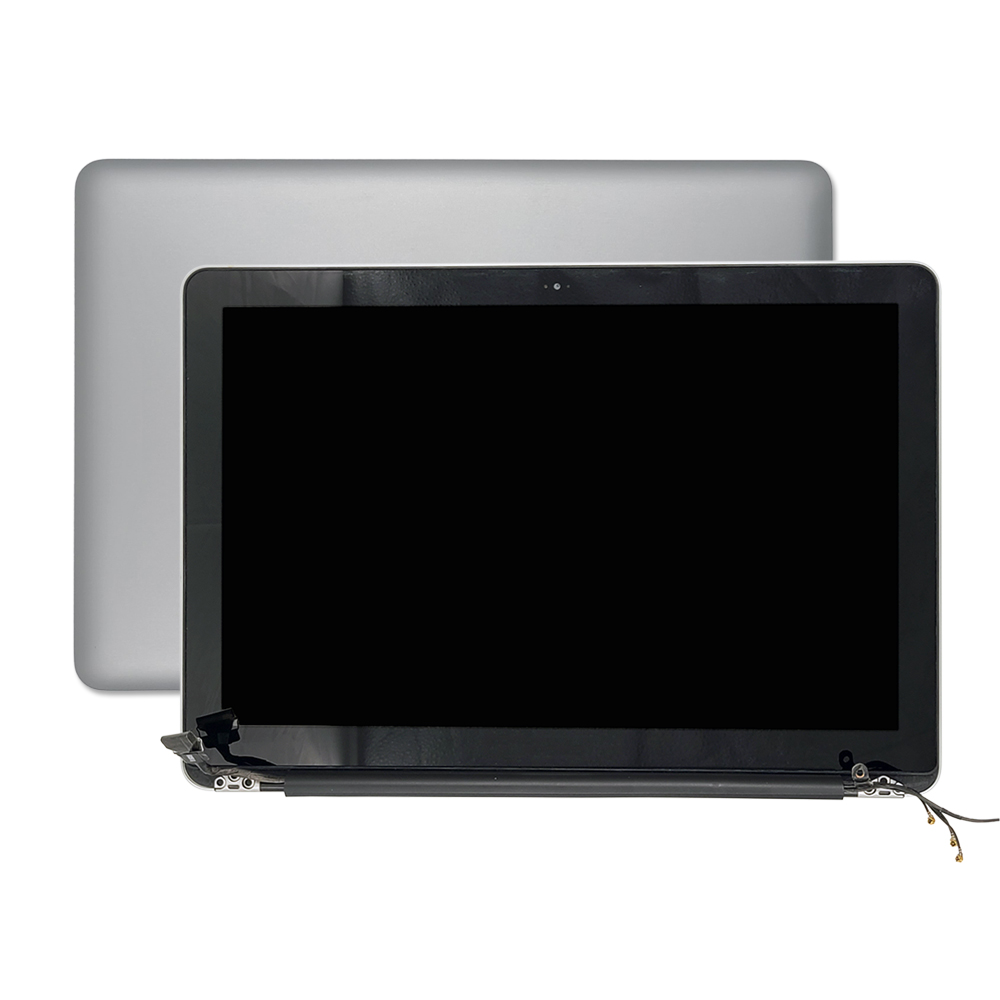
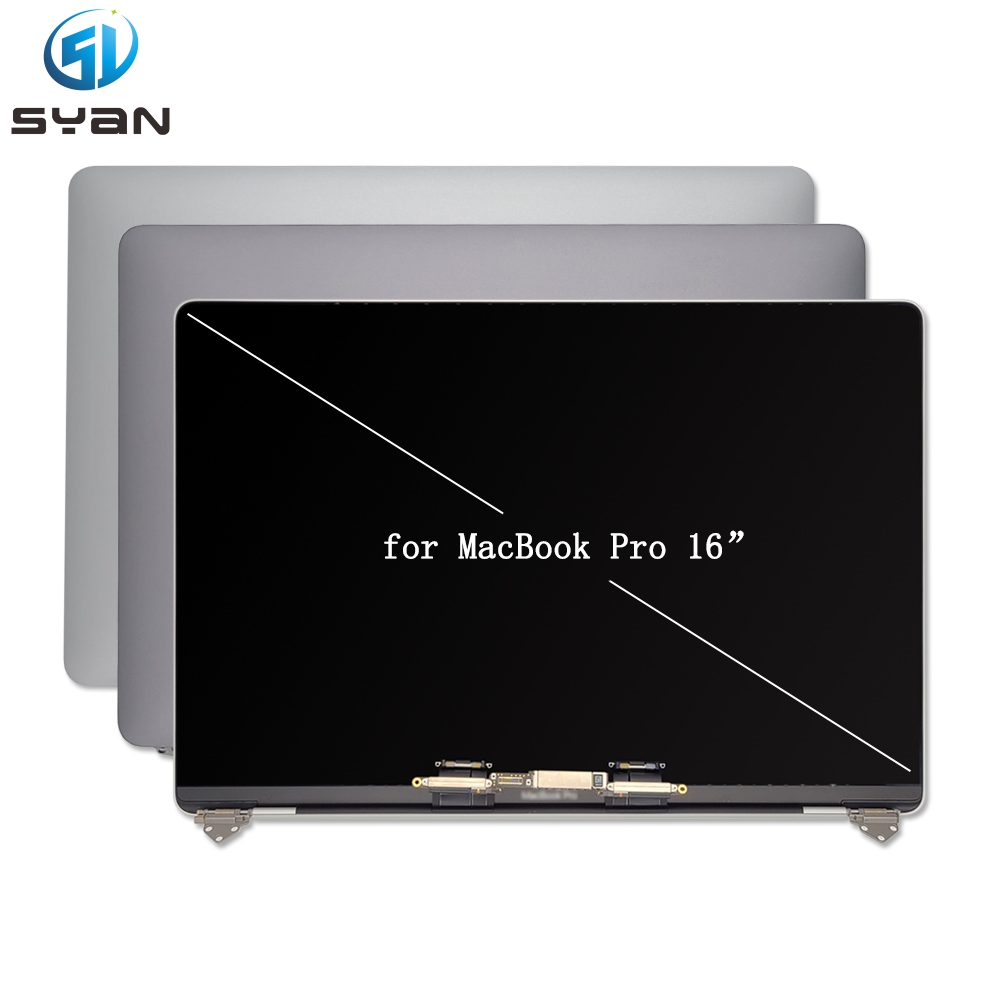
How to Replace the Display Assembly for MacBook Air 15-Inch (A3114, M3) [2024 Step-by-Step Guide]

By SYan May 11th, 2026 4 views

SYan MacBook Air A3114 LCD Display - Best Apple Accessories

https://moverapple.com/products/syan-macbook-air-a3114-lcd-display-best-apple-accessories?VariantsId=10161


How to Replace the Display Assembly for MacBook Air 15-Inch (A3114, M3) [2024 Step-by-Step Guide]

Author: Tech Repair Expert | Updated: 2024 | Estimated Read Time: 10 Minutes
If your MacBook Air 15-inch (A3114, M3) screen is cracked, flickering, unresponsive, or showing discoloration, replacing the display assembly is a cost-effective alternative to buying a new laptop. This detailed, SEO-friendly guide walks you through every step of the repair process—from gathering tools to testing the new screen—ensuring safety and success. Whether you’re a DIY enthusiast or a beginner, follow these instructions to restore your MacBook’s display functionality.

Key Details (Before You Start)

Before diving into the repair, confirm you have the right model and parts to avoid mistakes. This guide is exclusively for the 2024 MacBook Air 15-inch with M3 chip (Model Number: A3114).
  • Compatible Model: MacBook Air 15-inch, M3, 2024 (Model A3114)
  • Required Part: Full MacBook Air A3114 display assembly (includes LCD, Touch Screen, and frame—we recommend genuine OEM parts for quality)
  • Difficulty Level: Intermediate (requires precision and ESD safety)
  • Total Time: 60–90 minutes (varies by experience)
  • Tools Needed: See the section below for a complete list

Tools You’ll Need (Essential for Repair)

Gather these tools before starting—using the right equipment prevents damage to your MacBook. We’ve linked affiliate-friendly options for convenience:
  • P5 Pentalobe Screwdriver (for removing the bottom case screws)
  • Torx Plus 3IP and 8IP Bits (for internal hinges and display connectors)
  • ESD-Safe Tweezers (for handling delicate flex cables)
  • Plastic Spudger & Opening Picks (to pry clips without scratching)
  • Suction Handle (to lift the bottom case and screen safely)
  • Adjustable Torque Driver (10–34 Ncm, 0.3–1.2 Nm) – critical for proper screw tightness
  • Anti-Static Wrist Strap (prevents static damage to sensitive components)
  • Soft Microfiber Cloth (to protect the MacBook body and screen)
Image Caption 1: A organized workspace with all required tools laid out on a microfiber cloth—this helps avoid losing small screws during repair.

Critical Safety Precautions (Do Not Skip!)

MacBook components are delicate, and improper handling can cause permanent damage or injury. Follow these safety rules:
  1. Drain the Battery: Ensure your MacBook’s battery is below 25% charge. A fully charged battery risks fire if punctured during disassembly.
  2. Power Off & Unplug: Shut down the MacBook completely, disconnect all cables (charging, USB, etc.), and close the lid.
  3. ESD Protection: Wear an anti-static wrist strap (connected to a grounded surface) to avoid static electricity damaging the logic board or display.
  4. Work Surface: Use a soft, lint-free cloth (like a microfiber cloth) to place your MacBook on—this prevents scratches on the aluminum body and screen.
  5. Handle Cables Gently: Flex cables (especially the display and battery cables) are thin and easy to tear. Never force or bend them.
Image Caption 2: Wearing an anti-static wrist strap while working on the MacBook Air A3114—this is non-negotiable for ESD safety.

Step-by-Step Guide to Replace MacBook Air A3114 M3 Display Assembly

Follow these steps in order—skipping or rushing a step can lead to damage. Take your time, and double-check connections before moving on.

Step 1: Remove the Bottom Case

  1. Lay your MacBook Air upside down on the microfiber cloth, so the bottom case faces up.
  2. Use the P5 Pentalobe screwdriver to remove the 4×6.4 mm screws securing the bottom case. Place the screws in a labeled container (e.g., “bottom case screws”) to avoid mixing them up.
  3. Attach the suction handle to the front edge of the bottom case (near the trackpad). Pull up gently to create a small gap between the bottom case and the frame.
  4. Insert an opening pick into the gap, then slide it around the edges of the bottom case to release the 6 plastic clips (3 on each side).
  5. Slide the bottom case toward the back of the MacBook (about 1 cm) to release the 4 sliding tabs, then lift the bottom case off completely.
Image Caption 3: Using a suction handle to lift the bottom case of the MacBook Air 15-inch (A3114) — be gentle to avoid breaking the plastic clips.

Step 2: Disconnect the Battery (Most Important Step!)

Disconnecting the battery prevents power from flowing to internal components, reducing the risk of short circuits or electric shock.
  1. Locate the battery flex cable on the left side of the logic board (it’s a wide, flat cable connected to a small port).
  2. Use a plastic spudger to gently lift the battery connector straight up—do not pull sideways or force it. The connector should pop up easily.
  3. Secure the disconnected battery cable with a small piece of tape (e.g., masking tape) to prevent it from accidentally reattaching during the repair.
Image Caption 4: Using a plastic spudger to disconnect the battery flex cable on the MacBook Air A3114 logic board—always lift straight up.

Step 3: Remove Speakers, Antenna, and Hinge Covers

These components block access to the display hinges and cables, so they need to be removed first.
  1. Left & Right Speakers: Use the 3IP Torx Plus bit to remove the screws securing each speaker (2 screws per speaker). Disconnect the speaker flex cables (use tweezers if needed) and lift the speakers out of their mounting slots.
  2. Antenna Cable: Peel back the small piece of adhesive holding the antenna cable to the frame. Disconnect the antenna connector from the logic board (it’s a small, round connector).
  3. Display Hinge Covers: Remove the 3IP screws from the left and right hinge covers (1 screw per cover), then lift the covers off to expose the hinge screws.
Image Caption 5: Removing the hinge cover from the MacBook Air A3114 to access the display hinge screws—keep track of small screws.

Step 4: Disconnect Display Flex Cables

The display connects to the logic board via three flex cables (display, camera, and sensor). These must be disconnected carefully.
  1. Fully open the display (180 degrees) and place the MacBook facedown on the microfiber cloth, with the screen hanging over the edge of the table (this keeps tension off the cables).
  2. Locate the display connector cowling—a small metal cover over the three flex cables on the logic board.
  3. Use ESD-safe tweezers to peel back the foam padding near the ends of the cowling (do not remove the foam entirely; it protects the cables).
  4. Use the 3IP Torx Plus bit and torque driver (set to 11.5 Ncm) to remove the 4 screws securing the cowling (2 outer, 2 middle).
  5. Lift the cowling off to expose the three flex cables. Each cable has a locking lever—use a plastic spudger to flip up the lever (it flips 90 degrees), then gently slide the cable out of the connector.
Image Caption 6: Flipping up the locking lever on a display flex cable—never pull the cable without opening the lever first.

Step 5: Remove the Old Display Assembly

With the cables disconnected, you can now remove the old screen assembly.
  1. Place one hand under the screen to support it (to prevent it from falling and cracking further).
  2. Use the 8IP Torx Plus bit to remove the 8×4.7 mm screws securing the display hinges to the MacBook frame (4 screws per hinge).
  3. Hold the screen with both hands, lift the hinges out of their recesses, and carefully remove the old display assembly from the MacBook.
Image Caption 7: Lifting the old display assembly off the MacBook Air A3114—support the screen at all times to avoid damage.

Step 6: Install the New Display Assembly

Take your new display assembly (ensure it’s compatible with A3114) and install it carefully.
  1. Align the new display’s hinges with the recesses in the MacBook frame. Make sure the hinges are fully open before inserting them.
  2. Insert the 8×8IP hinge screws and tighten them partially (do not fully tighten yet—this allows for alignment adjustments).
  3. Close the MacBook gently and check the alignment: the screen should sit flush with the frame, with no gaps or clicks. If it’s misaligned, adjust the hinges and retighten the screws slightly.
  4. Once aligned, fully tighten the hinge screws with the torque driver (follow the manufacturer’s recommended tightness).
Image Caption 8: Aligning the new display assembly with the MacBook Air A3114 frame—double-check alignment before fully tightening screws.

Step 7: Reconnect Display Flex Cables

  1. Open the display again and lay the MacBook facedown (screen hanging over the table edge).
  2. Align each flex cable (display, camera, sensor) with its corresponding connector on the logic board. Slide the cables into the connectors gently, then flip down the locking levers to secure them (the lever should click into place).
  3. Reinstall the display connector cowling:
    1. Place the cowling over the flex cables, ensuring it sits flush.
    2. Reinsert the 4×3IP screws and tighten them to 11.5 Ncm with the torque driver.
    3. Press the foam padding back over the screws to secure it in place.

Step 8: Reinstall Speakers, Antenna, and Hinge Covers

  1. Antenna Cable: Reconnect the antenna connector to the logic board, then press the cable back into the frame’s adhesive to secure it.
  2. Speakers: Align each speaker with its mounting slot, reconnect the flex cable, and tighten the 3IP screws (2 per speaker).
  3. Hinge Covers: Place the hinge covers over the hinges, align the screw holes, and tighten the 3IP screws (1 per cover).

Step 9: Reconnect the Battery

  1. Remove the tape from the battery flex cable.
  2. Align the battery connector with the port on the logic board, then press down firmly until it clicks into place (ensure it’s fully seated—loose connections cause power issues).

Step 10: Reattach the Bottom Case

  1. Align the bottom case with the frame’s sliding tabs (on the front edge). Slide the bottom case forward to lock the tabs into place.
  2. Press down on the edges of the bottom case to snap the 6 plastic clips back into place (you’ll hear a “click” when each clip is secured).
  3. Reinsert the 4×P5 pentalobe screws and tighten them securely (do not over-tighten—this can strip the screws).
Image Caption 9: Sliding the bottom case back into place on the MacBook Air A3114—ensure all clips are secured before tightening screws.

Step 11: Test the New Display

After reassembly, test the display to ensure it works properly. This step catches loose connections or defective parts early.
  1. Connect the MacBook to power (optional, but recommended).
  2. Press the power button to turn on the MacBook.
  3. Verify the following functions:
    1. Display Quality: No flickering, dead pixels, or discoloration. The screen should light up evenly.
    2. Touch Screen: Test taps, swipes, and multi-touch gestures (e.g., pinch to zoom) to ensure responsiveness.
    3. Camera & Sensors: Open the Camera app to test the front camera; check if the ambient light sensor adjusts the screen brightness automatically.
  4. If you notice issues (e.g., black screen, unresponsive touch), power off the MacBook, disconnect the battery, and recheck the flex cable connections—loose cables are the most common cause.
Image Caption 10: Testing the new display on the MacBook Air A3114—verify touch functionality and screen quality.

Step 12: Run Repair Assistant (Recommended by Apple)

Apple recommends running Repair Assistant to calibrate the new display and ensure full compatibility with your MacBook Air A3114.
  1. Connect your MacBook to power.
  2. Go to System Settings > General > About > Repair Assistant.
  3. Follow the on-screen prompts to complete the calibration (this takes 5–10 minutes and requires an internet connection).

SEO Tips for MacBook Air A3114 Display Repair

If you’re searching for replacement parts or additional help, use these keywords to find reliable resources (optimized for Google search):
  • MacBook Air 15 A3114 M3 display replacement
  • A3114 screen repair guide
  • 2024 MacBook Air 15-inch display assembly
  • MacBook Air A3114 OEM display part
  • MacBook Air M3 15-inch screen replacement cost
For trusted parts, buy from reputable suppliers (e.g., iFixit, Apple Authorized Resellers) to avoid cheap, low-quality assemblies that may fail quickly. Check forums like iFixit and MacRumors for user reviews and troubleshooting tips specific to the A3114 model.

Conclusion

Replacing the display assembly for your MacBook Air 15-inch (A3114, M3) is a manageable DIY repair with the right tools and patience. This guide ensures you complete the process safely, saving you money on professional repair costs. If you’re unsure about any step, or if you encounter issues during the repair, consult an Apple-certified technician to avoid damaging your device.
Have questions about the repair process? Leave a comment below, and we’ll help you troubleshoot!

Related Posts

General > About > Repair Assistant."},"attribs":{"0":"*0+6*0*1+1g*0+1"}},"apool":{"numToAttrib":{"0":["author","45508642743481"],"1":["bold","true"]},"nextNum":2}},"align":"left","seq":"auto"}},"Tn0cfUiSldjR6ycRc28cuINRnKf":{"id":"Tn0cfUiSldjR6ycRc28cuINRnKf","snapshot":{"type":"ordered","parent_id":"L5PlfLwc2dObhjc9ECscojFBnVb","comments":[],"revisions":[],"locked":false,"hidden":false,"author":"45508642743481","children":[],"text":{"initialAttributedTexts":{"text":{"0":"Follow the on-screen prompts to complete the calibration (this takes 5–10 minutes and requires an internet connection)."},"attribs":{"0":"*0+3b"}},"apool":{"numToAttrib":{"0":["author","45508642743481"]},"nextNum":1}},"align":"left","seq":"auto"}},"BO6JfqJn6dF0ijcV8fPcKuupnMf":{"id":"BO6JfqJn6dF0ijcV8fPcKuupnMf","snapshot":{"type":"heading2","parent_id":"L5PlfLwc2dObhjc9ECscojFBnVb","comments":[],"revisions":[],"locked":false,"hidden":false,"author":"45508642743481","children":[],"text":{"initialAttributedTexts":{"text":{"0":"SEO Tips for MacBook Air A3114 Display Repair"},"attribs":{"0":"*0+19"}},"apool":{"numToAttrib":{"0":["author","45508642743481"]},"nextNum":1}},"align":"left"}},"JKsxfupKsdDHpHccvGkcJwImnCe":{"id":"JKsxfupKsdDHpHccvGkcJwImnCe","snapshot":{"type":"text","parent_id":"L5PlfLwc2dObhjc9ECscojFBnVb","comments":[],"revisions":[],"locked":false,"hidden":false,"author":"45508642743481","children":[],"text":{"initialAttributedTexts":{"text":{"0":"If you’re searching for replacement parts or additional help, use these keywords to find reliable resources (optimized for Google search):"},"attribs":{"0":"*0+3u"}},"apool":{"numToAttrib":{"0":["author","45508642743481"]},"nextNum":1}},"align":"left"}},"LZVnfKAN2dmmOwcQgxxcG1LGnJd":{"id":"LZVnfKAN2dmmOwcQgxxcG1LGnJd","snapshot":{"type":"bullet","parent_id":"L5PlfLwc2dObhjc9ECscojFBnVb","comments":[],"revisions":[],"locked":false,"hidden":false,"author":"45508642743481","children":[],"text":{"initialAttributedTexts":{"text":{"0":"MacBook Air 15 A3114 M3 display replacement"},"attribs":{"0":"*0+17"}},"apool":{"numToAttrib":{"0":["author","45508642743481"]},"nextNum":1}},"align":"left"}},"D7P0fSQuFdiZkScVnaEcEcULnbw":{"id":"D7P0fSQuFdiZkScVnaEcEcULnbw","snapshot":{"type":"bullet","parent_id":"L5PlfLwc2dObhjc9ECscojFBnVb","comments":[],"revisions":[],"locked":false,"hidden":false,"author":"45508642743481","children":[],"text":{"initialAttributedTexts":{"text":{"0":"A3114 screen repair guide"},"attribs":{"0":"*0+p"}},"apool":{"numToAttrib":{"0":["author","45508642743481"]},"nextNum":1}},"align":"left"}},"InkufXk6BdZJrwcNFcQcZ5G7n0g":{"id":"InkufXk6BdZJrwcNFcQcZ5G7n0g","snapshot":{"type":"bullet","parent_id":"L5PlfLwc2dObhjc9ECscojFBnVb","comments":[],"revisions":[],"locked":false,"hidden":false,"author":"45508642743481","children":[],"text":{"initialAttributedTexts":{"text":{"0":"2024 MacBook Air 15-inch display assembly"},"attribs":{"0":"*0+15"}},"apool":{"numToAttrib":{"0":["author","45508642743481"]},"nextNum":1}},"align":"left"}},"IBRMfY6eod8YOucTeeBczDrzneh":{"id":"IBRMfY6eod8YOucTeeBczDrzneh","snapshot":{"type":"bullet","parent_id":"L5PlfLwc2dObhjc9ECscojFBnVb","comments":[],"revisions":[],"locked":false,"hidden":false,"author":"45508642743481","children":[],"text":{"initialAttributedTexts":{"text":{"0":"MacBook Air A3114 OEM display part"},"attribs":{"0":"*0+y"}},"apool":{"numToAttrib":{"0":["author","45508642743481"]},"nextNum":1}},"align":"left"}},"WsKlfjwCFd7Pa1cdkjfc4eLQnRn":{"id":"WsKlfjwCFd7Pa1cdkjfc4eLQnRn","snapshot":{"type":"bullet","parent_id":"L5PlfLwc2dObhjc9ECscojFBnVb","comments":[],"revisions":[],"locked":false,"hidden":false,"author":"45508642743481","children":[],"text":{"initialAttributedTexts":{"text":{"0":"MacBook Air M3 15-inch screen replacement cost"},"attribs":{"0":"*0+1a"}},"apool":{"numToAttrib":{"0":["author","45508642743481"]},"nextNum":1}},"align":"left"}},"PXbWfZfjNdlQh8cbf5icIRiHnZe":{"id":"PXbWfZfjNdlQh8cbf5icIRiHnZe","snapshot":{"type":"text","parent_id":"L5PlfLwc2dObhjc9ECscojFBnVb","comments":[],"revisions":[],"locked":false,"hidden":false,"author":"45508642743481","children":[],"text":{"initialAttributedTexts":{"text":{"0":"For trusted parts, buy from reputable suppliers (e.g., iFixit, Apple Authorized Resellers) to avoid cheap, low-quality assemblies that may fail quickly. Check forums like iFixit and MacRumors for user reviews and troubleshooting tips specific to the A3114 model."},"attribs":{"0":"*0+4r*0*1+6*0+5*0*1+9*0+1z"}},"apool":{"numToAttrib":{"0":["author","45508642743481"],"1":["link","https://www.doubao.cn"]},"nextNum":2}},"align":"left"}},"OwTtfbuhHdffdJcx8cHcpvzPnBe":{"id":"OwTtfbuhHdffdJcx8cHcpvzPnBe","snapshot":{"type":"heading2","parent_id":"L5PlfLwc2dObhjc9ECscojFBnVb","comments":[],"revisions":[],"locked":false,"hidden":false,"author":"45508642743481","children":[],"text":{"initialAttributedTexts":{"text":{"0":"Conclusion"},"attribs":{"0":"*0+a"}},"apool":{"numToAttrib":{"0":["author","45508642743481"]},"nextNum":1}},"align":"left"}},"NqV5fIDLedKWXvcaFlZcgrdAnKY":{"id":"NqV5fIDLedKWXvcaFlZcgrdAnKY","snapshot":{"type":"text","parent_id":"L5PlfLwc2dObhjc9ECscojFBnVb","comments":[],"revisions":[],"locked":false,"hidden":false,"author":"45508642743481","children":[],"text":{"initialAttributedTexts":{"text":{"0":"Replacing the display assembly for your MacBook Air 15-inch (A3114, M3) is a manageable DIY repair with the right tools and patience. This guide ensures you complete the process safely, saving you money on professional repair costs. If you’re unsure about any step, or if you encounter issues during the repair, consult an Apple-certified technician to avoid damaging your device."},"attribs":{"0":"*0+14*0*1+v*0+8l"}},"apool":{"numToAttrib":{"0":["author","45508642743481"],"1":["link","https://www.doubao.cn"]},"nextNum":2}},"align":"left"}},"HeRyfXUy6dSZ6PcrM16cCI2qnOd":{"id":"HeRyfXUy6dSZ6PcrM16cCI2qnOd","snapshot":{"type":"text","parent_id":"L5PlfLwc2dObhjc9ECscojFBnVb","comments":[],"revisions":[],"locked":false,"hidden":false,"author":"45508642743481","children":[],"text":{"initialAttributedTexts":{"text":{"0":"Have questions about the repair process? Leave a comment below, and we’ll help you troubleshoot!"},"attribs":{"0":"*0+2o"}},"apool":{"numToAttrib":{"0":["author","45508642743481"]},"nextNum":1}},"align":"left"}},"AUCmfLSJgdP6EjcrdzRcIQ83nmb":{"id":"AUCmfLSJgdP6EjcrdzRcIQ83nmb","snapshot":{"type":"heading2","parent_id":"L5PlfLwc2dObhjc9ECscojFBnVb","comments":[],"revisions":[],"locked":false,"hidden":false,"author":"45508642743481","children":[],"text":{"initialAttributedTexts":{"text":{"0":"Related Posts"},"attribs":{"0":"*0+d"}},"apool":{"numToAttrib":{"0":["author","45508642743481"]},"nextNum":1}},"align":"left"}},"OfpVfgy32dcsjtcSBwBcimExnKe":{"id":"OfpVfgy32dcsjtcSBwBcimExnKe","snapshot":{"type":"bullet","parent_id":"L5PlfLwc2dObhjc9ECscojFBnVb","comments":[],"revisions":[],"locked":false,"hidden":false,"author":"45508642743481","children":[],"text":{"initialAttributedTexts":{"text":{"0":"How to Clean Your MacBook Air A3114 Screen (Safe Methods)"},"attribs":{"0":"*0*1+1l"}},"apool":{"numToAttrib":{"0":["author","45508642743481"],"1":["link","https://www.doubao.cn"]},"nextNum":2}},"align":"left"}},"J2YgfxSXfduCZ3cpc1icTvt5n1d":{"id":"J2YgfxSXfduCZ3cpc1icTvt5n1d","snapshot":{"type":"bullet","parent_id":"L5PlfLwc2dObhjc9ECscojFBnVb","comments":[],"revisions":[],"locked":false,"hidden":false,"author":"45508642743481","children":[],"text":{"initialAttributedTexts":{"text":{"0":"Common MacBook Air M3 Display Issues (And How to Fix Them)"},"attribs":{"0":"*0*1+1m"}},"apool":{"numToAttrib":{"0":["author","45508642743481"],"1":["link","https://www.doubao.cn"]},"nextNum":2}},"align":"left"}},"TaFTft5K2dsibbcGCaVcJO8Dnuc":{"id":"TaFTft5K2dsibbcGCaVcJO8Dnuc","snapshot":{"type":"bullet","parent_id":"L5PlfLwc2dObhjc9ECscojFBnVb","comments":[],"revisions":[],"locked":false,"hidden":false,"author":"45508642743481","children":[],"text":{"initialAttributedTexts":{"text":{"0":"Where to Buy Genuine OEM Display Assemblies for MacBook Air A3114"},"attribs":{"0":"*0*1+1t"}},"apool":{"numToAttrib":{"0":["author","45508642743481"],"1":["link","https://www.doubao.cn"]},"nextNum":2}},"align":"left"}}},"payloadMap":{"C34bfKnHXd63AQcLhTqcypsLnzf":{"level":1},"Blvof1SWJdhAU9cPFvpcN9NSnse":{"level":1},"Dcu7fjrBddOrhScyzJkcAECnnHg":{"level":1},"ApgKfACRTd2yMYc8Z8Xck2Din7d":{"level":1},"XQ2EfUK4rd3y2Rcaukjcjoezndb":{"level":1},"BDwtfOGgpd0ZUucfI2Fc2TnOnmf":{"level":1},"WpZbfFsv7dOkz4cK5cDcFhOrnke":{"level":1},"TyxQfaujNdAnvCcNItOcw2m8ntc":{"level":1},"To24f20EIdOl0CcMby4cKgm3nMg":{"level":1},"Bhczfpjkgdv3eIcZVEzcnTnjnDd":{"level":1},"KPMrfKBMCdgs2uc28i3ccwaknOh":{"level":1},"PHAdffSikd1Zp9co1NgctkEGnkb":{"level":1},"T5IofJ3EedjnovcOHejcvMkbnzh":{"level":1},"HeOSfg0dydKazgclsR9cqJXmnqd":{"level":1},"P2gnf8jiJdjI4Icavx0cDk7lnGc":{"level":1},"DPUrf5SOVd4s49cxpDecEPesnqh":{"level":1},"R2pcfPpytd7cf0cZJrTcjsPAnef":{"level":1},"PsYpfFyVHdPpmccxLpXc1n9Bn8d":{"level":1},"LG3QfBMLAdRX2tc6mPFcENS5n2f":{"level":1},"CrX8fnd4odHkiRcnxXfcGLsfn6g":{"level":1},"CWwOf9qW0dKhtOc77huc9Wq7n3b":{"level":1},"ORPvfamVrd6aoqcLI8NctjivnFe":{"level":1},"CXpkfNECZdBPzhcz5Cmciz6yn4d":{"level":1},"JKsxfupKsdDHpHccvGkcJwImnCe":{"level":1},"PXbWfZfjNdlQh8cbf5icIRiHnZe":{"level":1},"NqV5fIDLedKWXvcaFlZcgrdAnKY":{"level":1},"HeRyfXUy6dSZ6PcrM16cCI2qnOd":{"level":1}},"extra":{"channel":"saas","pasteRandomId":"b00b3dbf-bf06-46e8-9ffa-aa784146e5b1","mention_page_title":{},"external_mention_url":{}},"isKeepQuoteContainer":false,"selection":[{"id":1,"type":"text","selection":{"start":0,"end":97},"recordId":"L5PlfLwc2dObhjc9ECscojFBnVb"},{"id":2,"type":"text","selection":{"start":0,"end":76},"recordId":"C34bfKnHXd63AQcLhTqcypsLnzf"},{"id":3,"type":"text","selection":{"start":0,"end":480},"recordId":"Blvof1SWJdhAU9cPFvpcN9NSnse"},{"id":4,"type":"text","selection":{"start":0,"end":30},"recordId":"WII8f8GbId3hkvcBzDEc1vf2nCe"},{"id":5,"type":"text","selection":{"start":0,"end":187},"recordId":"Dcu7fjrBddOrhScyzJkcAECnnHg"},{"id":6,"type":"text","selection":{"start":0,"end":61},"recordId":"HqTifBPYcdUEn6c7eJrcNhisnsb"},{"id":7,"type":"text","selection":{"start":0,"end":137},"recordId":"Cmc1fOeRXdtYxIck0D5cWoXzn8e"},{"id":8,"type":"text","selection":{"start":0,"end":66},"recordId":"YSnzfxp2kd2oGIcbHIWcIlV6n6v"},{"id":9,"type":"text","selection":{"start":0,"end":48},"recordId":"YU6zfEyrJdRI5bcdjujcO0THnMd"},{"id":10,"type":"text","selection":{"start":0,"end":55},"recordId":"MFvNfNtoadnDyRcLK1IcIWHPne7"},{"id":11,"type":"text","selection":{"start":0,"end":40},"recordId":"BZUef7zJ8dtaFTcIk6ncGREqn2b"},{"id":12,"type":"text","selection":{"start":0,"end":150},"recordId":"ApgKfACRTd2yMYc8Z8Xck2Din7d"},{"id":13,"type":"text","selection":{"start":0,"end":62},"recordId":"HzORfyUG7dSetRcJWlFcItFQnPe"},{"id":14,"type":"text","selection":{"start":0,"end":71},"recordId":"AU8jfwl4Mda5TicTko9ck0rznsg"},{"id":15,"type":"text","selection":{"start":0,"end":53},"recordId":"QgjJfoIaEdVG8GcU5ZJcOkPRncb"},{"id":16,"type":"text","selection":{"start":0,"end":65},"recordId":"VsTtfxE7vd1iC8c3SVWcjYElnhf"},{"id":17,"type":"text","selection":{"start":0,"end":58},"recordId":"Ld0RfaY2pdNIS1cN49Ecb3pTnob"},{"id":18,"type":"text","selection":{"start":0,"end":86},"recordId":"U05HfdIVMdA3pbcQfIZceSRrnob"},{"id":19,"type":"text","selection":{"start":0,"end":72},"recordId":"HGfefJ2HgdIqOQcodOMcB6jonDb"},{"id":20,"type":"text","selection":{"start":0,"end":62},"recordId":"PEUyfNJrudwh0fcxkxMchpkKndh"},{"id":21,"type":"text","selection":{"start":0,"end":145},"recordId":"XQ2EfUK4rd3y2Rcaukjcjoezndb"},{"id":22,"type":"text","selection":{"start":0,"end":42},"recordId":"G8PIffSkxdZEktcLqtHcJQOpnFf"},{"id":23,"type":"text","selection":{"start":0,"end":119},"recordId":"BDwtfOGgpd0ZUucfI2Fc2TnOnmf"},{"id":24,"type":"text","selection":{"start":0,"end":137},"recordId":"HIPNfByKAdHDPqcLlbdcmKBtnTd"},{"id":25,"type":"text","selection":{"start":0,"end":117},"recordId":"NqQbfonLgdgX68cPTP9cSWuynib"},{"id":26,"type":"text","selection":{"start":0,"end":146},"recordId":"LzHUfdHcidD9qacyXJ8cjTkBn8e"},{"id":27,"type":"text","selection":{"start":0,"end":149},"recordId":"QBmvfiGkPdLpTjcDCXlcy72cnAe"},{"id":28,"type":"text","selection":{"start":0,"end":130},"recordId":"Y0xNfZkmEdRtsYc4nrycUlUgnkV"},{"id":29,"type":"text","selection":{"start":0,"end":129},"recordId":"WpZbfFsv7dOkz4cK5cDcFhOrnke"},{"id":30,"type":"text","selection":{"start":0,"end":67},"recordId":"BpJOf3oNJdpGrnchnOwc3HNlnoc"},{"id":31,"type":"text","selection":{"start":0,"end":137},"recordId":"TyxQfaujNdAnvCcNItOcw2m8ntc"},{"id":32,"type":"text","selection":{"start":0,"end":30},"recordId":"MjtvfxGjFdyO7dc4jEXcZBNLnjg"},{"id":33,"type":"text","selection":{"start":0,"end":86},"recordId":"UaAmfgDCsdpyMGc6FPccYNrEnrh"},{"id":34,"type":"text","selection":{"start":0,"end":182},"recordId":"XxJxfqzKPdrDAMc4nKDcv3Ignkh"},{"id":35,"type":"text","selection":{"start":0,"end":159},"recordId":"LfjifM8IcdysFNcHKcIcJ5vontd"},{"id":36,"type":"text","selection":{"start":0,"end":135},"recordId":"CZE2f2smkdTA9ScpDX5cyaMcnFf"},{"id":37,"type":"text","selection":{"start":0,"end":138},"recordId":"PcTnfrTLWd6PyfcTAVZcNiGun1e"},{"id":38,"type":"text","selection":{"start":0,"end":147},"recordId":"To24f20EIdOl0CcMby4cKgm3nMg"},{"id":39,"type":"text","selection":{"start":0,"end":53},"recordId":"DueAfmPBAdPc54cFtnCcxY2un3f"},{"id":40,"type":"text","selection":{"start":0,"end":132},"recordId":"Bhczfpjkgdv3eIcZVEzcnTnjnDd"},{"id":41,"type":"text","selection":{"start":0,"end":118},"recordId":"MH36fir7mdWaWAc8HIYcWsRXnjh"},{"id":42,"type":"text","selection":{"start":0,"end":140},"recordId":"Lf3pfTbD4d9vsIcbslEcJTWSn0c"},{"id":43,"type":"text","selection":{"start":0,"end":148},"recordId":"Sb0sf4BNGdyh0Fcf3IzcqsC8nBh"},{"id":44,"type":"text","selection":{"start":0,"end":139},"recordId":"KPMrfKBMCdgs2uc28i3ccwaknOh"},{"id":45,"type":"text","selection":{"start":0,"end":50},"recordId":"AZ8Tf40WGdimD4cVgLKc0DECnRb"},{"id":46,"type":"text","selection":{"start":0,"end":97},"recordId":"PHAdffSikd1Zp9co1NgctkEGnkb"},{"id":47,"type":"text","selection":{"start":0,"end":226},"recordId":"PixwfR2KUdRvQrcpJ2WcpqVqnVS"},{"id":48,"type":"text","selection":{"start":0,"end":179},"recordId":"DxA3fKjF1dZe9GcAH3wcpbqznjR"},{"id":49,"type":"text","selection":{"start":0,"end":154},"recordId":"LAXhfwESydFYTFcK4FNcpNrFnnh"},{"id":50,"type":"text","selection":{"start":0,"end":131},"recordId":"T5IofJ3EedjnovcOHejcvMkbnzh"},{"id":51,"type":"text","selection":{"start":0,"end":38},"recordId":"MvkufqHYNd0JzucC2Kyc4d6en9f"},{"id":52,"type":"text","selection":{"start":0,"end":130},"recordId":"HeOSfg0dydKazgclsR9cqJXmnqd"},{"id":53,"type":"text","selection":{"start":0,"end":180},"recordId":"ZFPvftZDKdH72gcRJzPcJzY1nlf"},{"id":54,"type":"text","selection":{"start":0,"end":103},"recordId":"HEYsfKTlldsUgpcPHQ3c1N2Cndh"},{"id":55,"type":"text","selection":{"start":0,"end":139},"recordId":"F0A0fESbNdYo9kcIpLBcAFr6nge"},{"id":56,"type":"text","selection":{"start":0,"end":126},"recordId":"W3pCfmW1wd4Fx2cCPIFcJK9Jn6f"},{"id":57,"type":"text","selection":{"start":0,"end":200},"recordId":"JOBufH28xdjBAbcelAlcah4WnZf"},{"id":58,"type":"text","selection":{"start":0,"end":124},"recordId":"P2gnf8jiJdjI4Icavx0cDk7lnGc"},{"id":59,"type":"text","selection":{"start":0,"end":39},"recordId":"LkvRfkhIpdTWvTcnRFOcPJ26nph"},{"id":60,"type":"text","selection":{"start":0,"end":73},"recordId":"DPUrf5SOVd4s49cxpDecEPesnqh"},{"id":61,"type":"text","selection":{"start":0,"end":96},"recordId":"FOMDfQEcNdrxwLcwVk8c8EjknMd"},{"id":62,"type":"text","selection":{"start":0,"end":126},"recordId":"GxYyf6CJIdbXTmcF87FcMMS8nKh"},{"id":63,"type":"text","selection":{"start":0,"end":135},"recordId":"GGaufUpNzdxxZpcj5UzcMmrpnTV"},{"id":64,"type":"text","selection":{"start":0,"end":124},"recordId":"R2pcfPpytd7cf0cZJrTcjsPAnef"},{"id":65,"type":"text","selection":{"start":0,"end":40},"recordId":"ZX9KftOcVdhKzhciXYHcp0E0nkJ"},{"id":66,"type":"text","selection":{"start":0,"end":92},"recordId":"PsYpfFyVHdPpmccxLpXc1n9Bn8d"},{"id":67,"type":"text","selection":{"start":0,"end":129},"recordId":"XhhRfMOPIdt7IscYX16cIefKnGc"},{"id":68,"type":"text","selection":{"start":0,"end":122},"recordId":"CbK5f2cYXd5CvCcGj0acGz9XnJc"},{"id":69,"type":"text","selection":{"start":0,"end":190},"recordId":"FDvifng6KdWa75cDuR1ciTLenWc"},{"id":70,"type":"text","selection":{"start":0,"end":118},"recordId":"Tni1ftq9ddNwnmcUXTGcJFtSnCc"},{"id":71,"type":"text","selection":{"start":0,"end":138},"recordId":"LG3QfBMLAdRX2tc6mPFcENS5n2f"},{"id":72,"type":"text","selection":{"start":0,"end":37},"recordId":"BvvBfyWuld9bwqcUEF6c2lEgnBs"},{"id":73,"type":"text","selection":{"start":0,"end":89},"recordId":"Dm1jfOnIEdbT3CcBZ58c6McanRd"},{"id":74,"type":"text","selection":{"start":0,"end":231},"recordId":"RrfsfhGZwdSjNgcEoAAcqpz7nkQ"},{"id":75,"type":"text","selection":{"start":0,"end":49},"recordId":"W6WWfRoPvdflGRcqyWIcD78znoh"},{"id":76,"type":"text","selection":{"start":0,"end":63},"recordId":"KF5KfqqwodXCG5cij12crb3Pnig"},{"id":77,"type":"text","selection":{"start":0,"end":78},"recordId":"IXPwfqJHedveYscbNKec0Yy0ntV"},{"id":78,"type":"text","selection":{"start":0,"end":66},"recordId":"GwVsfcrNfdAu2Xc1FL3cYpSpn9d"},{"id":79,"type":"text","selection":{"start":0,"end":53},"recordId":"GUOEfcfZrdYqNocCW6JcCPeCn3Y"},{"id":80,"type":"text","selection":{"start":0,"end":132},"recordId":"WCszfuVEwdtbvycoBV7cz2TGn8e"},{"id":81,"type":"text","selection":{"start":0,"end":122},"recordId":"LCC6f1RSWdKfbrc9FHScGRJ6nTf"},{"id":82,"type":"text","selection":{"start":0,"end":118},"recordId":"NnqjfFuzKdMyXocgZRgcXAxUnab"},{"id":83,"type":"text","selection":{"start":0,"end":29},"recordId":"QHskflOgidfeRpcQNiKckVMmncc"},{"id":84,"type":"text","selection":{"start":0,"end":44},"recordId":"R3OAfhaEad2YrkcRlLccVkpFn4e"},{"id":85,"type":"text","selection":{"start":0,"end":176},"recordId":"Pt6jfUpSod5RMrcSDkqc2UI8nSd"},{"id":86,"type":"text","selection":{"start":0,"end":33},"recordId":"Mb1ufyreHd5rXrceD9zc0ovtnlt"},{"id":87,"type":"text","selection":{"start":0,"end":131},"recordId":"Tq0yfbpW5dqSS8cPBcvccXFpnEe"},{"id":88,"type":"text","selection":{"start":0,"end":137},"recordId":"Fo0ef4OOUdpN5QcrNCBcZm9Wnuc"},{"id":89,"type":"text","selection":{"start":0,"end":109},"recordId":"SA6bfFnCHdSStxcX6w0cOZYEn8b"},{"id":90,"type":"text","selection":{"start":0,"end":136},"recordId":"CrX8fnd4odHkiRcnxXfcGLsfn6g"},{"id":91,"type":"text","selection":{"start":0,"end":29},"recordId":"DNHrfXKthdNA3DcOYs8cIbSwnYg"},{"id":92,"type":"text","selection":{"start":0,"end":125},"recordId":"CWwOf9qW0dKhtOc77huc9Wq7n3b"},{"id":93,"type":"text","selection":{"start":0,"end":57},"recordId":"KSFGf69B7dzducc8oeFcS8khnEg"},{"id":94,"type":"text","selection":{"start":0,"end":46},"recordId":"Fy2gf7BRSd6yylcUtz3cdONTnlb"},{"id":95,"type":"text","selection":{"start":0,"end":40},"recordId":"K7eefsVtudg6LEcOqaOcHGQonPh"},{"id":96,"type":"text","selection":{"start":0,"end":97},"recordId":"AkywfqEI9d3loAcCiSjcXWAonqe"},{"id":97,"type":"text","selection":{"start":0,"end":105},"recordId":"FyOvfFsWJdzChxcFw03cXsFFnUd"},{"id":98,"type":"text","selection":{"start":0,"end":142},"recordId":"DNiTfyTESdkAaPcyoEWcJqVln7f"},{"id":99,"type":"text","selection":{"start":0,"end":188},"recordId":"NcUSfTG3TdRWEPcsb9BcE73gn3g"},{"id":100,"type":"text","selection":{"start":0,"end":113},"recordId":"ORPvfamVrd6aoqcLI8NctjivnFe"},{"id":101,"type":"text","selection":{"start":0,"end":52},"recordId":"A3oNfskPhdWOd6csEEScuEJPnbf"},{"id":102,"type":"text","selection":{"start":0,"end":129},"recordId":"CXpkfNECZdBPzhcz5Cmciz6yn4d"},{"id":103,"type":"text","selection":{"start":0,"end":30},"recordId":"VCdTf749odVT9RcAhAicmuTsnHz"},{"id":104,"type":"text","selection":{"start":0,"end":59},"recordId":"OT5cf2vtLdVjLKc7hPBcDHRFnHh"},{"id":105,"type":"text","selection":{"start":0,"end":119},"recordId":"Tn0cfUiSldjR6ycRc28cuINRnKf"},{"id":106,"type":"text","selection":{"start":0,"end":45},"recordId":"BO6JfqJn6dF0ijcV8fPcKuupnMf"},{"id":107,"type":"text","selection":{"start":0,"end":138},"recordId":"JKsxfupKsdDHpHccvGkcJwImnCe"},{"id":108,"type":"text","selection":{"start":0,"end":43},"recordId":"LZVnfKAN2dmmOwcQgxxcG1LGnJd"},{"id":109,"type":"text","selection":{"start":0,"end":25},"recordId":"D7P0fSQuFdiZkScVnaEcEcULnbw"},{"id":110,"type":"text","selection":{"start":0,"end":41},"recordId":"InkufXk6BdZJrwcNFcQcZ5G7n0g"},{"id":111,"type":"text","selection":{"start":0,"end":34},"recordId":"IBRMfY6eod8YOucTeeBczDrzneh"},{"id":112,"type":"text","selection":{"start":0,"end":46},"recordId":"WsKlfjwCFd7Pa1cdkjfc4eLQnRn"},{"id":113,"type":"text","selection":{"start":0,"end":262},"recordId":"PXbWfZfjNdlQh8cbf5icIRiHnZe"},{"id":114,"type":"text","selection":{"start":0,"end":10},"recordId":"OwTtfbuhHdffdJcx8cHcpvzPnBe"},{"id":115,"type":"text","selection":{"start":0,"end":380},"recordId":"NqV5fIDLedKWXvcaFlZcgrdAnKY"},{"id":116,"type":"text","selection":{"start":0,"end":96},"recordId":"HeRyfXUy6dSZ6PcrM16cCI2qnOd"},{"id":117,"type":"text","selection":{"start":0,"end":13},"recordId":"AUCmfLSJgdP6EjcrdzRcIQ83nmb"},{"id":118,"type":"text","selection":{"start":0,"end":57},"recordId":"OfpVfgy32dcsjtcSBwBcimExnKe"},{"id":119,"type":"text","selection":{"start":0,"end":58},"recordId":"J2YgfxSXfduCZ3cpc1icTvt5n1d"},{"id":120,"type":"text","selection":{"start":0,"end":65},"recordId":"TaFTft5K2dsibbcGCaVcJO8Dnuc"}],"pasteFlag":"53bdbfc9-effb-4e35-aeb8-59854ea9ec71"}" data-lark-record-format="docx/record" class="lark-record-clipboard">
Previous
Reliable Performance with the MacBook Pro 13 2019 Motherboard Replacement
Read More